 Written by
 How to write a special eBook step by step guide will amaze you how easy this really is, helping you accomplish this and your other writing goals is the mission of Boomer Biz HQ. Be sure to check all my step-by-step guides waiting to help you, now are you ready to write that special eBook.
Affiliate Disclosure
Amazon + Friends
Affiliate Disclosure: Some of the links on this website may be affiliate links. This means that if you click a link and make a purchase, I may earn a small commission at no extra cost to you. These commissions help support 65 Plus Life and Boomer Biz HQ, and Dawg Solutions. so I can continue creating free resources for older adults.
Amazon Disclosure: As an Amazon Associate, I earn from qualifying purchases. Any Amazon links used throughout this website may earn a commission when you purchase through them.
Wealthy Affiliate Disclosure: I am also a proud affiliate of Wealthy Affiliate. If you choose to join their platform through my referral link, I may earn a commission. I only recommend Wealthy Affiliate because it has personally helped me build websites and create income online, and I believe it can help other older adults learn these skills too.

Thank you for supporting my work — it truly means a lot.
Jeff
How to Write a Special eBook Step-By-Step Guide
A Simple Guide for Beginners
Writing an eBook may sound overwhelming at first, but the truth is anyone can create a special eBook with the right plan and a little patience. Whether you want to share your knowledge, start an online business, help others solve problems, or create a new source of income during retirement, writing an eBook is one of the easiest ways to get started.
The Good News
You do not need to be a professional writer or publishing expert. You simply need a topic you care about and a step-by-step process to follow.
12 Top Writing Resources For New Writers Success In 2026
In this guide, we will show you exactly how to write a special eBook from start to finish in a simple and beginner-friendly way.
Step 1: Choose a Topic People Care About
The first step in writing an eBook is choosing the right topic. Your best eBook ideas usually come from:
- Personal experience
- Hobbies and interests
- Skills you already know
- Problems you have solved
- Questions people ask you often
A special eBook focuses on helping readers learn something useful, solve a problem, or improve their lives in some way.
For example, you could write about:
- Retirement planning
- Starting a small business
- Senior health tips
- Traveling on a budget
- Caring for aging dogs
- Cooking easy meals
- The Zero Cost Freelance Writers Startup Plan
The best eBooks are clear, helpful, and easy to understand.
Step 2: Identify Your Target Reader
Before you start writing, think about who your eBook is for.
Ask yourself:
- What age group am I writing for?
- What problem are they trying to solve?
- What information are they searching for?
- What tone will help them feel comfortable?
When you understand your audience, your writing becomes more focused and helpful.
For example, a retirement planning eBook written for seniors should use simple language, practical advice, and real-life examples.
Step 3: Create a Simple Outline
One of the biggest mistakes beginners make is trying to write the entire eBook without a plan.
Instead, create a simple outline first.
Your outline might include:
- Introduction
- Main chapter topics
- Helpful tips
- Examples or stories
- Final thoughts
- Resources or bonus materials
Think of your outline as a roadmap that keeps your writing organized.
Step 4: Write One Section at a Time
Do not worry about making your eBook perfect on the first draft.
10 Best Writing Productivity Tips For 2026
The easiest way to write an eBook is to focus on one small section at a time.
Set simple goals like:
- Write 500 words per day
- Finish one chapter each week
- Spend 30 minutes writing every morning
Small progress adds up quickly.
Remember, readers want useful information more than fancy writing.
Step 5: Make Your eBook Helpful and Easy to Read
A great eBook should feel simple and enjoyable to read.
Use:
- Short paragraphs
- Bullet points
- Headings and subheadings
- Real examples
- Simple language
Avoid making your content overly complicated.
Your readers will appreciate clear advice they can actually use.
Step 6: Add Personal Stories and Experience
What makes an eBook special is often the personal touch behind it.
Sharing your own experiences helps readers connect with you and builds trust.
You do not need to share deeply private information. Even small stories about lessons learned, mistakes made, or successes achieved can make your eBook feel more real and valuable.
People enjoy learning from someone who has actually lived through the experience.
Step 7: Edit and Improve Your Draft
Once your first draft is complete, take time to review and improve it.
Check for:
- Spelling mistakes
- Grammar errors
- Repeated information
- Confusing sections
- Long sentences
Reading your eBook out loud can help you catch mistakes and improve the flow.
How To Be A Productive Writer In 2026 For Beginners
You can also ask a trusted friend or family member to read it and give feedback.
Step 8: Design a Simple eBook Cover
Your eBook cover is the first thing readers notice.
A clean and professional-looking cover helps your eBook stand out.
You can create a simple cover using tools like:
Choose:
- Large easy-to-read text
- Clear images
- Simple colors
- A professional appearance
Your cover does not need to be expensive to look good.
Step 9: Format Your eBook Properly
Formatting makes your eBook easier to read on phones, tablets, and computers.
Most beginners create eBooks using:
- Microsoft Word
- Google Docs
- Canva
Save your finished eBook as a PDF for easy sharing and downloading.
You can also convert it into Kindle format later if you plan to sell it on Amazon Kindle Direct Publishing.
Step 10: Publish and Share Your eBook
After your eBook is complete, it is time to share it with the world.
You can:
- Offer it as a free download
- Sell it online
- Use it to grow your email list
- Share it on social media
- Add it to your website
12 Month Retirement Income Content Plan
Many people use eBooks to build trust, grow a business, and create extra retirement income.
The more helpful your content is, the more readers will recommend it to others.
Jeff Shares & Cares
Writing a special eBook is something almost anyone can do with the right mindset and a clear plan. You do not need perfect writing skills or years of experience to create something valuable.
Start with a topic you care about, write one step at a time, and focus on helping your readers solve real problems.
Your knowledge and life experience may be exactly what someone else needs today.
The most important step is simply getting started.
Publishing Your Special eBook on Kindle Direct Publishing
Once your eBook is written and formatted, the next exciting step is publishing it for the world to see. One of the easiest and most popular ways to publish an eBook is through Kindle Direct Publishing (KDP).
KDP allows anyone to self-publish an eBook on Amazon and reach millions of readers worldwide. The best part is you stay in control of your book and can earn royalties from every sale.
Kindle Publishing for Seniors: A Simple Path to Online Income
Here is a simple beginner-friendly step-by-step guide to help you publish your special eBook on Kindle.
Step 1: Create a Kindle Direct Publishing Account
To get started, visit Kindle Direct Publishing and sign in using your Amazon account.
If you already shop on Amazon, you can use the same login information.
After signing in, KDP will ask you to complete your account setup, including:
- Your name and address
- Payment information
- Tax information
This allows Amazon to pay you royalties from your eBook sales.
Step 2: Prepare Your eBook File
Before uploading your eBook, make sure your file is complete and properly formatted.
Most authors upload:
- A Microsoft Word document
- A PDF file
- An EPUB file
Double-check:
- Spelling and grammar
- Chapter headings
- Page breaks
- Images and links
- Table of contents
Your eBook should look clean and professional on all devices.
Step 3: Create an Eye-Catching Cover
Your book cover plays a huge role in attracting readers.
A strong cover should:
- Be easy to read
- Match your topic
- Look professional
- Use simple colors and clear text
Many beginners use tools like:
KDP also offers a free Cover Creator tool if you want a simple design option.
Step 4: Start a New Kindle eBook Project
Inside your KDP dashboard, click:
“Create” → “Kindle eBook”
This opens the publishing setup page where you will enter your book details.
Step 5: Enter Your Book Details
This section tells Amazon and readers what your eBook is about.
You will add:
- Your eBook title
- Subtitle (optional)
- Author name
- Description
- Keywords
- Categories
Your book description should clearly explain:
- What readers will learn
- Who the book is for
- Why it is helpful
Use natural keywords related to your topic without overstuffing them.
For example:
- 12 Month Retirement Income plan
- Senior budgeting tips
- Beginner business ideas
- Kindle Publishing For Seniors
These keywords help readers discover your eBook on Amazon search results.
Step 6: Upload Your eBook Manuscript and Cover
Now it is time to upload your files.
Systeme.io – An All-In-One Online Business Tool for Seniors
You will upload:
- Your eBook manuscript
- Your cover image
KDP will automatically convert your file into Kindle format.
After uploading, use the Kindle Previewer tool to check how your book looks on different devices.
Carefully review every page before moving forward.
Step 7: Set Your Pricing and Royalties
Next, choose how much you want to charge for your eBook.
Most beginner eBooks are priced between:
- $2.99 to $9.99
KDP offers royalty options that usually include:
- 35% royalty
- 70% royalty (for qualifying books)
Think about your audience and the value your book provides when choosing your price.
Step 8: Click Publish
After reviewing everything, click:
“Publish Your Kindle eBook”
Amazon will review your book, which usually takes up to 72 hours.
Once approved, your eBook will appear on Amazon for readers to purchase.
That moment can feel incredibly rewarding, especially for first-time authors.
Step 9: Promote Your eBook
Publishing your eBook is only the beginning.
To help people discover your book, you can:
- Share it on Facebook Groups
- Post about it on social media
- Add it to your website
- Send it to your email list
- Ask friends and family for reviews
The more people who see your eBook, the greater your chances of growing sales and building an audience.
Step 10: Keep Learning and Publishing
Most successful self-published authors improve with every book they create.
Do not worry about making everything perfect the first time.
Each eBook teaches you:
- Better writing skills
- Better marketing ideas
- Better formatting techniques
- Better ways to help readers
The key is consistency and continuing to share your knowledge with others.
Jeff Shares
Publishing an eBook on Kindle Direct Publishing is one of the easiest ways for beginners to become published authors. You do not need a publishing company, expensive equipment, or years of experience to get started.
With a helpful topic, a clear step-by-step plan, and a willingness to learn, almost anyone can publish a successful eBook online.
Your story, knowledge, and experience could inspire or help readers around the world.
Take The First Step
Writing and publishing your very own special eBook may seem like a big challenge at first, but every successful author started exactly where you are today
Kindle Publishing for Seniors: A Simple Path to Online Income
With an idea and the courage to begin.
You do not need perfect writing skills, expensive software, or years of experience to create something meaningful. What matters most is your willingness to share your knowledge, life experiences, and ideas with others who may truly benefit from them.
Whether you want to help people, build an online business, create extra retirement income, or simply accomplish a personal goal, your eBook could become something you are incredibly proud of for years to come.
The important thing is not waiting for the “perfect” time.
The best way to start is by taking one small step today.
Choose your topic. Create your outline. Write your first page.
Before you know it, you could be holding the finished product of your hard work and seeing your very own eBook published online for readers around the world.
Your story matters.
Your experience matters. And someone out there may be waiting to learn from exactly what you have to share.
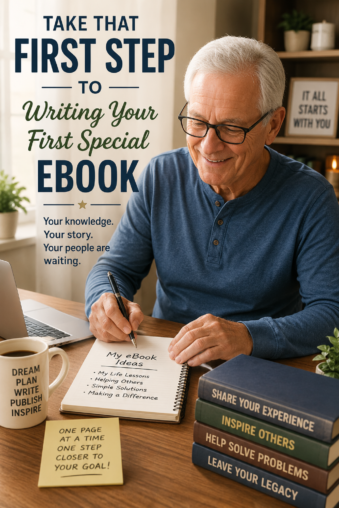
So take that first step today and begin writing your special eBook.
How To write a special ebook is waiting for you to take that first big step, you have everything you need in this guide to succeed.
I am with you all the way,
Jeff
Affiliate Disclosure: Some of the links on this website may be affiliate links. This means that if you click a link and make a purchase, I may earn a small commission at no extra cost to you. These commissions help support 65 Plus Life and Boomer Biz HQ, and Dawg Solutions. so I can continue creating free resources for older adults.
Amazon Disclosure: As an Amazon Associate, I earn from qualifying purchases. Any Amazon links used throughout this website may earn a commission when you purchase through them.
The Freelancers Den Affiliate Program
- How To Write A Special Ebook Step By Step GuideHow to write a special eBook step by step guide will amaze you how easy this really is, helping you accomplish this and your other writing goals is the mission of Boomer Biz HQ. Be sure to check all my step-by-step guides waiting to help you, now are you ready to write that special eBook. … Continue reading “How To Write A Special Ebook Step By Step Guide”
- 12 Top Writing Resources For New Writers Success In 202612 top writing resources for new writers success in 2026. With artificial intelligence 2026 has more to offer new writers success than ever before, interested in the 12 top writing resources for new writers, that is what I have to share with you in this article. Affiliate Disclosure Amazon + Friends Affiliate Disclosure: Some of … Continue reading “12 Top Writing Resources For New Writers Success In 2026”
- 10 Best Writing Productivity Tips For 202610 best writing productivity tips for 2026. Anyone at any age can be a productive writer, many seniors after they retire supplement their income by writing online. With my 10 best writing productivity tips you also can become a writer, why not take the first step right now. Affiliate Disclosure Amazon + Friends Affiliate Disclosure: … Continue reading “10 Best Writing Productivity Tips For 2026”
- How To Be A Productive Writer In 2026 For BeginnersHow to be a productive writer in 2026 for beginners. It is never too late to get your feet wet as a writer, many seniors have started writing productive without any prior experience. My beginner-friendly guide will help you get started on the right path. Affiliate Disclosure Amazon + Friends Affiliate Disclosure: Some of the … Continue reading “How To Be A Productive Writer In 2026 For Beginners”
- Writing Groups On Linkedin For 2026 To JoinWriting groups on Linkedin for 2026 to join is what you will learn. How many of you are using Linkedin, and how many of you are taking advantage of their writing groups. Many people miss out by not using Linkedin for a writing resource, so I am going to help you find groupls for 2026 … Continue reading “Writing Groups On Linkedin For 2026 To Join”
- How Do I Set Privacy Settings On FacebookHow do I set privacy settings on Facebook is a step-by-step guide. Knowing how to set your privacy settings on this platform is my way of helping readers like you. Everyone will want to customize these settings to their own preference, lets learn now about Facebook privacy settings. Affiliate Disclosure Amazon + Friends Affiliate Disclosure: … Continue reading “How Do I Set Privacy Settings On Facebook”
- How To Use Pinterest For Retirement PlanningHow to use Pinterest for retirement planning. Pinterest is a very good platform that I have had good results using for Boomer Biz HQ. I am going to share my strategy with you in this step-by-step guide, so you also can use Pinterest for retirement planning. Affiliate Disclosure Amazon + Friends Affiliate Disclosure: Some of … Continue reading “How To Use Pinterest For Retirement Planning”
- 5 Artificial Intelligence Retirement Planning Tools5 Artificial intelligence retirement planning tools are important for us to know, you will learn about these high-tech ai tools and how to use them. With time and patience you can be a pro planning for your retirement with much less stress. Affiliate Disclosure Amazon + Friends Affiliate Disclosure: Some of the links on this … Continue reading “5 Artificial Intelligence Retirement Planning Tools”
- How To Choose Affordable Email Marketing ToolsHow to choose affordable email marketing tools is your key to retirement income success. I am going to take you through each step one by one, so anyone interested can learn about these email marketing tools and how to use them the most effectively. Affiliate Disclosure Amazon + Friends Affiliate Disclosure: Some of the links … Continue reading “How To Choose Affordable Email Marketing Tools”
- How To Start Freelancing After Retirement With SuccessHow to start freelancing after retirement with success is one method of supplementing your retirement income. Social Security alone is not paying the bills for most retirees today, so I am going to share how I started freelancing to supplement my own retirement income. Affiliate Disclosure Amazon + Friends Affiliate Disclosure: Some of the links … Continue reading “How To Start Freelancing After Retirement With Success”


























Writing an ebook definitely looks overwhelming at first, but your point about taking it one section at a time is what really helps. I published a small PDF guide a while back for an affiliate website, and the outline was the biggest thing that kept me from getting stuck. Once I stopped trying to make every page perfect, the writing got much easier.
I also agree with adding personal stories. A lot of ebooks online feel robotic because they only throw facts at people. Real experiences make readers trust the writer more. The Kindle publishing section was helpful too, especially the reminder to check formatting on different devices before publishing. That part can turn into a mess fast if you skip it.
Thank you Mr Roman,
I just love when my readers share their own experiences in my comments, Kindle Publishing is a great asset for anyone interested in getting in on writing and publishing ebooks.
Jeff