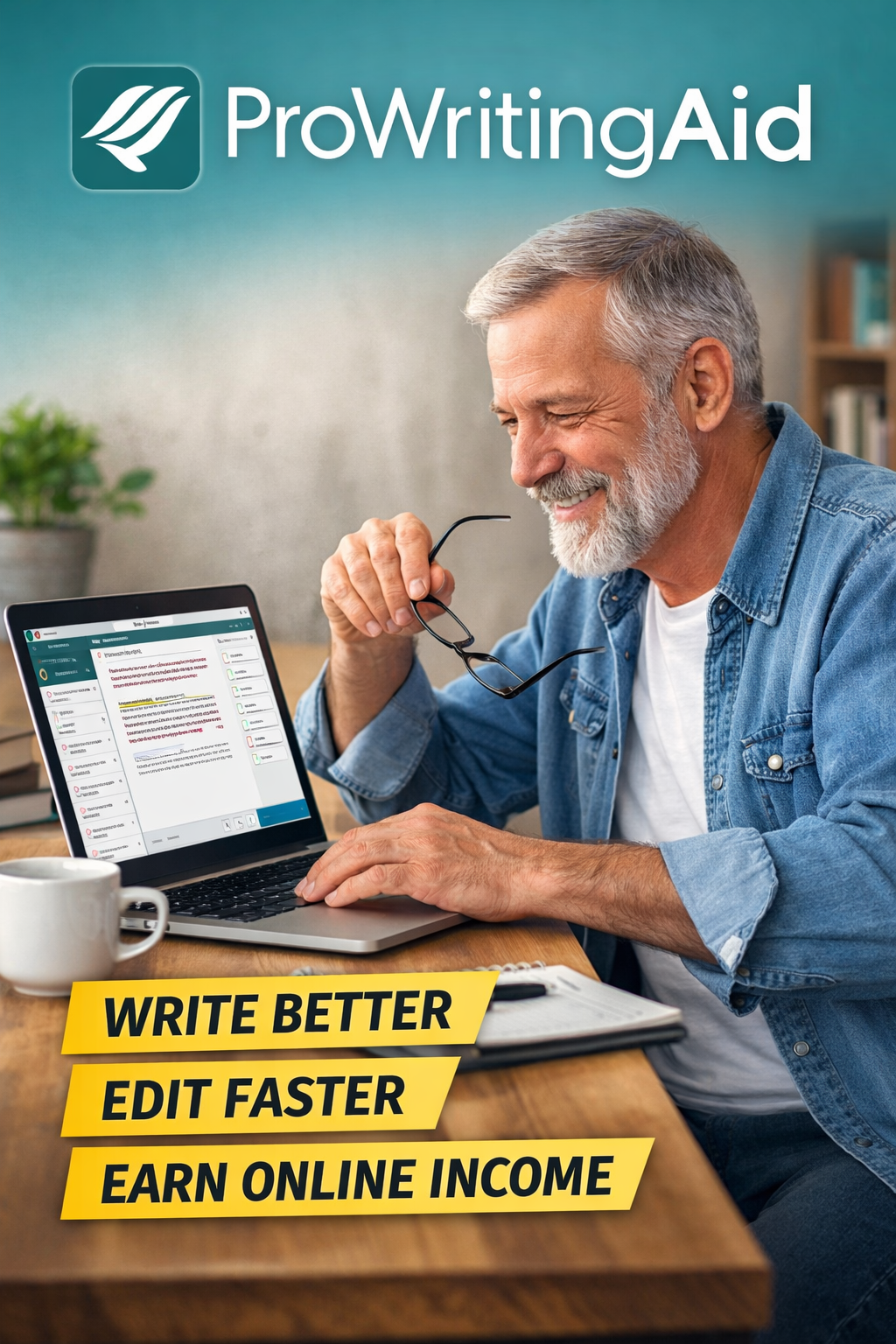
Pro Writing Pro is another awesome freelance writing tool that you might want to consider, I have taken the time to provide you with a step-by-step guide for Pro Writing Pro. Boomer Biz HQ is a resource with articles, guides, and tutorials for those interested in preparing for retirement income online.
Affiliate Disclosure
Amazon + Friends
Affiliate Disclosure: Some of the links on this website may be affiliate links. This means that if you click a link and make a purchase, I may earn a small commission at no extra cost to you. These commissions help support 65 Plus Life and Boomer Biz HQ, and Dawg Solutions. so I can continue creating free resources for older adults.
Amazon Disclosure: As an Amazon Associate, I earn from qualifying purchases. Any Amazon links used throughout this website may earn a commission when you purchase through them.
Wealthy Affiliate Disclosure: I am also a proud affiliate of Wealthy Affiliate. If you choose to join their platform through my referral link, I may earn a commission. I only recommend Wealthy Affiliate because it has personally helped me build websites and create income online, and I believe it can help other older adults learn these skills too.
Thank you for supporting my work — it truly means a lot.
Jeff
ProWritingAid
A Step-by-Step Guide for Beginners
If you’re preparing to earn retirement income online, one of the best skills you can build is clear, confident writing.
Whether you want to start a blog, write articles for clients, create ebooks, or build niche websites, your words matter. That is where a tool like ProWritingAid can help.
But before you spend money on any writing software, it helps to understand what it does, how it compares to similar tools, and whether it is a smart fit for your goals.
This step-by-step guide will walk you through it.
Step 1: Understand What ProWritingAid Is
ProWritingAid is an editing and writing improvement tool designed to help writers catch mistakes and improve the quality of their writing.
It does more than basic spellcheck. It looks at things like:
- Grammar
- Spelling
- Readability
- Overused words
- Sentence length
- Writing style
- Repeated phrases
- Clarity
In simple terms, ProWritingAid acts like a second set of eyes on your work. It helps you polish your writing before you publish a blog post, send an article to a client, or upload an ebook.
For retirees and older adults starting an online income journey, that can be a real confidence booster.
Step 2: Know Why Writing Tools Matter for Online Income
Many Boomer Biz HQ readers are exploring online income opportunities such as:
- Blogging
- Freelance writing
- Affiliate marketing
- Self-publishing
- Content writing for small businesses
- Creating digital products
All of these depend on written communication.
You do not have to be a perfect writer to succeed online. But you do need writing that is:
- Easy to understand
- Professional enough to build trust
- Clean enough to avoid distracting mistakes
- Strong enough to keep readers engaged
That is why many beginners use writing tools. They save time, reduce embarrassment, and help you learn as you go.
Step 3: Decide What You Need Most From a Writing Tool
Before choosing ProWritingAid, ask yourself what kind of help you need.
Are you looking for:
- A basic grammar checker?
- Help improving your overall writing style?
- Feedback on blog posts and long articles?
- A tool that helps you learn to become a better writer?
- A budget-friendly option for retirement side income?
If you only want quick spelling and grammar help, you may not need a deep editing platform.
But if you want to write better blog posts, improve client work, or produce more polished long-form content, ProWritingAid may be worth a closer look.
Step 4: Look at the Pros of ProWritingAid
Here are some of the biggest advantages of ProWritingAid for beginners and retirees working toward online income.
1. It goes beyond grammar
This is one of its biggest strengths. ProWritingAid does not just point out typos. It also highlights style problems, repeated words, awkward phrasing, and readability issues.
2. It helps you improve over time
Some writing tools simply fix errors. ProWritingAid also helps teach you why changes matter. That can help you become a stronger writer with practice.
3. It works well for long-form writing
If you plan to write blog posts, articles, ebooks, guides, or website content, ProWritingAid is often more useful than tools designed mainly for short emails and messages.
4. It can build confidence
Many new writers hesitate because they worry their writing is “not good enough.” A strong editing tool can make it easier to hit publish or submit work to clients.
5. It may be cost-effective for serious writers
For someone planning to write regularly in retirement, investing in one strong writing tool may save time and improve results.
Step 5: Understand the Cons of ProWritingAid
No tool is perfect, and it is important to be honest about the downsides too.
1. It can feel overwhelming at first
ProWritingAid gives a lot of feedback. For new writers, that can feel like too much in the beginning.
2. It may slow you down if you over-edit
If you try to fix every suggestion, you can get stuck tweaking instead of finishing your work.
3. It is not always the simplest option
Some other writing tools are easier for beginners who want very fast corrections.
4. It is best for people who write regularly
If you only write once in a while, you may not get enough value from it to justify paying for it.
Step 6: Compare ProWritingAid to Other Popular Writing Tools
If your goal is retirement income online, it helps to compare ProWritingAid to several similar writing tools before deciding.
ProWritingAid vs Grammarly
Grammarly is probably the best-known alternative.
ProWritingAid Pros Compared to Grammarly
- Better for detailed writing analysis
- Often stronger for long blog posts, articles, and books
- Gives more in-depth reports on style and structure
- Useful for writers who want to improve their skills
ProWritingAid Cons Compared to Grammarly
- Can feel more complicated
- Not always as quick and simple
- Has a steeper learning curve for beginners
Grammarly Pros
- Very easy to use
- Fast suggestions
- Beginner-friendly
- Great for emails, web writing, and short content
Grammarly Cons
- Less detailed for deep editing
- Can feel limited for long-form writers
- More focused on correction than teaching
Best choice for retirees?
- Choose Grammarly if you want something fast, simple, and beginner-friendly.
- Choose ProWritingAid if you want deeper help and plan to write a lot of content.
ProWritingAid vs Hemingway Editor
Hemingway Editor is another popular tool, especially for readability.
ProWritingAid Pros Compared to Hemingway
- Much more detailed
- Includes grammar and style help
- Better for overall editing
- Gives broader feedback on writing quality
ProWritingAid Cons Compared to Hemingway
- More complex
- Takes more time to learn
- Not as quick for simple readability checks
Hemingway Editor Pros
- Very simple to use
- Excellent for spotting hard-to-read sentences
- Helps make writing cleaner and more direct
- Good for blog posts aimed at everyday readers
Hemingway Editor Cons
- Limited compared to full editing tools
- Does not offer the same depth
- Better as a helper than a complete writing system
Best choice for retirees?
- Choose Hemingway Editor if you want a simple way to make your writing clearer.
- Choose ProWritingAid if you want a fuller editing tool.
ProWritingAid vs Google Docs Editor
Many beginners start with Google Docs because it is free and easy to use.
ProWritingAid Pros Compared to Google Docs
- Far more powerful editing feedback
- Better writing reports
- More helpful for serious writing improvement
- Better for long-term skill building
ProWritingAid Cons Compared to Google Docs
- Costs more
- Has more features to learn
- May be more than a casual writer needs
Google Docs Pros
- Free to use
- Easy to access from anywhere
- Great for drafting and organizing content
- Good starting point for beginners
Google Docs Cons
- Limited grammar and style help
- Not a full editing solution
- Does not provide the same level of writing insight
Best choice for retirees?
- Choose Google Docs if you are just getting started and want a free place to write.
- Choose ProWritingAid when you are ready to improve the quality of your content.
ProWritingAid vs QuillBot
QuillBot is often used for rewriting, paraphrasing, and sentence improvement.
ProWritingAid Pros Compared to QuillBot
- Better for full-document editing
- More focused on writing quality and structure
- Better choice for blog posts, client work, and ebooks
- Helps with long-term writing growth
ProWritingAid Cons Compared to QuillBot
- Not as focused on quick rewording
- May feel slower for simple sentence changes
QuillBot Pros
- Helpful for rephrasing sentences
- Good for finding another way to say something
- Can save time when you feel stuck
QuillBot Cons
- Not a complete editing solution
- Easy to rely on too much
- Rewriting suggestions may lose your natural voice if overused
Best choice for retirees?
- Choose QuillBot if you mainly want help rewording awkward sentences.
- Choose ProWritingAid if you want a broader writing and editing tool.
Step 7: Weigh the Pros and Cons of All These Tools
Here is the simple breakdown for Boomer Biz HQ readers.
ProWritingAid
Pros
- Deep editing help
- Strong for blog posts and long articles
- Helps improve writing skills
- Good for serious writers
Cons
- Can be overwhelming
- Not the fastest option for quick corrections
- Better for regular writers than occasional users
Grammarly
Pros
- Easy to use
- Fast corrections
- Beginner-friendly
- Great for everyday writing
Cons
- Less detailed
- Not as strong for deep editing
- More limited for long-form writers
Hemingway Editor
Pros
- Simple
- Great for readability
- Helps make writing clearer
Cons
- Limited features
- Not a complete editing tool
- No deep grammar coaching
Google Docs Editor
Pros
- Free
- Easy to use
- Great for writing drafts
Cons
- Basic editing help only
- Not enough for polished professional writing
QuillBot
Pros
- Good for rephrasing
- Helpful when stuck
- Easy to use
Cons
- Not a full editing platform
- Easy to overuse
- May weaken your natural writing voice
Step 8: Decide If ProWritingAid Is Right for You
ProWritingAid may be a smart choice for you if:
- You want to start a blog in retirement
- You plan to write articles for income
- You want to improve your writing skills over time
- You expect to create a lot of written content
- You like detailed feedback
It may not be the best choice if:
- You want the easiest tool possible
- You only write occasionally
- You mainly need quick grammar fixes
- You are still testing whether online writing is right for you
For many beginners, the best path is to start simple, then upgrade as your writing income goals grow.
Step 9: Use ProWritingAid the Smart Way
If you decide to try ProWritingAid, do not make the mistake of letting the tool control your writing.
Use it wisely:
- Write your first draft freely
- Edit after the draft is done
- Focus on the biggest problems first
- Ignore suggestions that hurt your voice
- Keep your writing natural and helpful
Remember, a writing tool should support your message, not replace your judgment.
That matters even more when writing for blogs, affiliate content, and online audiences who want a real human voice.
Step 10: Focus on Progress, Not Perfection
Many retirees avoid online writing income because they worry they are not professional writers.
The truth is, you do not need perfect writing to succeed.
You need:
- Useful information
- Clear communication
- Consistency
- A willingness to improve
A tool like ProWritingAid can help, but your real success comes from showing up, learning, and publishing content that helps people.
That is how online income begins.
ProWritingAid for Retirement Income Online
ProWritingAid can be a strong tool for Boomer Biz HQ readers who want to take writing seriously as part of their retirement income plan.
It is especially useful for:
- Blog writing
- Freelance writing
- Article creation
- Ebook writing
- Website content
Compared to similar tools, ProWritingAid stands out for its depth and teaching value. But it is not the easiest option for everyone.
If you want something simple, Grammarly or Google Docs may be a better starting point. If you want stronger long-term writing improvement, ProWritingAid may be the better investment.
The right choice depends on your goals, your comfort level, and how often you plan to write.
Jeff Shares
If you are building online income in retirement, writing is one of the most useful skills you can develop.
ProWritingAid is not the only writing tool available, but it is one of the most helpful for people who want to grow as writers while creating better content.
Take your time, compare your options, and choose the tool that helps you keep moving forward.
Because in the end, the best writing tool is the one that helps you create, improve, and publish with confidence.
Welcome to Kindle Unlimited (Your Affordable Resource)
Here’s something many beginners overlook…
You don’t just need tools—you need knowledge, ideas, and guidance.
That’s where Kindle Unlimited becomes incredibly valuable.
What Is Kindle Unlimited?
Kindle Unlimited is a monthly subscription from Amazon that gives you access to thousands of books you can read anytime.
Think of it as a digital library focused on:
- Writing
- Online business
- Blogging
- Freelancing
- Retirement income strategies
How Retirees Can Use Kindle Unlimited for Income Planning
If you’re planning your next chapter in retirement, Kindle Unlimited can help you learn faster without spending a fortune on individual books.
Here’s how to use it strategically:
1. Learn Different Income Streams
You can explore books on:
- Blogging for beginners
- Affiliate marketing
- Passive income ideas
- Self-publishing
- Side hustles for retirees
This helps you discover what fits your lifestyle and comfort level.
2. Study Real Examples
Many authors share:
- Their income journeys
- Mistakes they made
- What actually works
This gives you practical insight—not just theory.
3. Build a Simple Plan
Instead of guessing, you can:
- Compare different income paths
- Learn step-by-step strategies
- Create your own retirement income roadmap
How Freelance Writers Can Use Kindle Unlimited
If your goal is freelance writing income, Kindle Unlimited becomes even more useful.
1. Improve Your Writing Skills
You can read books on:
- Grammar and style
- Copywriting
- Blog writing
- SEO basics
These pair perfectly with tools like ProWritingAid.
2. Learn How to Get Clients
Many books cover:
- Freelance platforms
- How to pitch clients
- Pricing your services
- Building a portfolio
3. Discover Writing Niches
You’ll find ideas for:
- Health writing
- Finance writing
- Pet blogs
- Retirement topics
This can help you choose a niche that fits your interests and experience.
4. Save Money While Learning
Instead of buying multiple $10–$20 books, you can read them under one subscription.
For retirees starting out, that’s a smart way to learn without overspending.
Jeff Shares
Not a Kindle Unlimited Member?
Amazon typically offers a free trial of Kindle Unlimited, which gives you access to thousands of books at no cost during the trial period.
It’s one of the easiest, lowest-risk ways to:
- Learn freelance writing
- Explore income ideas
- Build your retirement strategy
Take advantage of the free trial and start learning today.
Thank you for visiting Boomer Biz HQ to learn about ” Pro Writing Aid”,
Jeff
Affiliate Disclosure: Some of the links on this website may be affiliate links. This means that if you click a link and make a purchase, I may earn a small commission at no extra cost to you. These commissions help support 65 Plus Life and Boomer Biz HQ, and Dawg Solutions. so I can continue creating free resources for older adults.
Amazon Disclosure: As an Amazon Associate, I earn from qualifying purchases. Any Amazon links used throughout this website may earn a commission when you purchase through them.

























