 Written by
 Best Kindle eBooks for retirement income guide is one of the most budget-friendly income opportunity. This is a low-investment which makes it budget-friendly, and with this guide you have a step-by-step process to follow for ultimate success.
Affiliate Disclosure
Amazon + Friends
Affiliate Disclosure: Some of the links on this website may be affiliate links. This means that if you click a link and make a purchase, I may earn a small commission at no extra cost to you. These commissions help support 65 Plus Life and Boomer Biz HQ, and Dawg Solutions. so I can continue creating free resources for older adults.
Amazon Disclosure: As an Amazon Associate, I earn from qualifying purchases. Any Amazon links used throughout this website may earn a commission when you purchase through them.
Wealthy Affiliate Disclosure: I am also a proud affiliate of Wealthy Affiliate. If you choose to join their platform through my referral link, I may earn a commission. I only recommend Wealthy Affiliate because it has personally helped me build websites and create income online, and I believe it can help other older adults learn these skills too.

Thank you for supporting my work — it truly means a lot.
Jeff
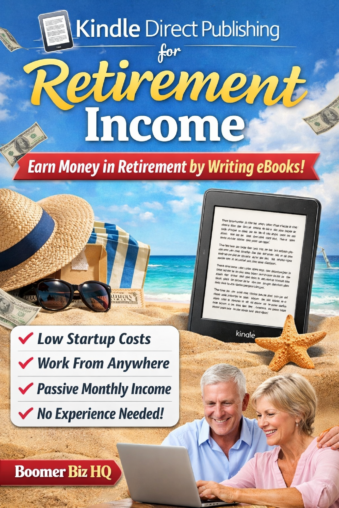
Kindle eBooks for Retirement Income
When I first started seriously thinking about retirement income, I realized something important — traditional advice wasn’t enough for me. Like many people approaching retirement, I wanted income streams that I could build myself, control myself, and grow over time.
That’s exactly what led me to create Boomer Biz HQ.
My goal wasn’t just to prepare for my own retirement. I wanted to document what works, what doesn’t, and share real-world strategies with other boomers who are looking for practical ways to create income in retirement. I know firsthand how overwhelming retirement planning can feel — especially when you start wondering whether your savings alone will be enough.
Publishing Kindle eBooks
One opportunity that kept rising to the top during my research was publishing Kindle eBooks. It’s low cost to start, doesn’t require inventory, and can generate ongoing royalty income once your books are live. That combination makes it especially attractive for retirees and pre-retirees who want to build income streams without taking on huge financial risk.
In this guide, I’ll walk you through why Kindle eBooks can be a smart retirement income strategy, how they work, and how you can get started — even if you’ve never written a book before.
Why Kindle eBooks Are a Good Place to Start
If you’re looking for ways to build retirement income without a large upfront investment, Kindle eBooks are one of the most beginner-friendly options available today.
When I was researching income ideas for Boomer Biz HQ, I kept coming back to Kindle publishing for one simple reason — the barrier to entry is low, but the long-term potential is real.
Low Startup Costs
Unlike many side businesses, publishing Kindle eBooks doesn’t require inventory, shipping, or expensive equipment. In most cases, your main investment is time. You can write your book on a basic computer and upload it directly to Amazon’s Kindle Direct Publishing (KDP) platform for free.
For retirees or those approaching retirement, this makes it a much less risky way to test the waters of online income.
Potential for Retirement Income
Kindle Publishing for Seniors: A Simple Path to Online Income
One of the biggest attractions is the ability to earn ongoing royalties. Once your eBook is published, it can continue selling day and night without additional work.
Now, let’s be realistic — most books won’t make you rich overnight. But a small library of helpful, targeted eBooks can create a steady stream of monthly income over time. That’s exactly the kind of supplemental income many retirees are looking for.
Work From Anywhere
Kindle publishing is location-independent. You can research, write, and manage your books from home, while traveling, or anywhere you have internet access.
For many boomers who want flexibility in retirement, that freedom is a big advantage compared to traditional part-time jobs.
You Can Start With What You Already Know
You don’t need to be a professional writer or a famous expert. Many successful Kindle authors simply share practical knowledge, life experience, or step-by-step guidance that helps a specific audience.
Think about it — retirees have decades of experience in careers, hobbies, and life skills. That knowledge has real value when packaged the right way.
Scalable Over Time
You can start with just one eBook and grow at your own pace. As you gain confidence, you can:
- Publish more books
- Update existing titles
- Create related guides or workbooks
- Build a small but powerful income library
This makes Kindle publishing especially attractive for people who want to ease into building online income rather than jumping into something complicated.
How Kindle Direct Publishing Works
Kindle Direct Publishing (KDP) is Amazon’s self-publishing platform that allows anyone to publish and sell eBooks directly on Amazon. It removes the need for traditional publishers and gives you full control over your book, pricing, and royalties.
When I first looked into KDP while building Boomer Biz HQ, I was surprised at how straightforward the process really is. If you can upload a document and fill out a form, you can publish a Kindle eBook.
Here’s how the process works step by step.
Step 1: Create Your Free KDP Account
To get started, you simply sign up at the KDP website using your Amazon account. There is no cost to join.
During setup, you’ll enter:
- Your author/publisher name
- Payment information
- Tax information
Once this is done, you’re ready to publish.
Step 2: Prepare Your eBook Manuscript
Next, you’ll write and format your eBook. Most beginners start with a simple Word document.
Your manuscript should include:
- A clear title page
- Clickable table of contents (recommended)
- Well-formatted chapters
- A short author bio
KDP accepts several file types, but a properly formatted Word document (.docx) is the easiest starting point for most retirees and beginners.
Step 3: Create a Book Cover
Your cover is extremely important — it’s the first thing potential buyers see.
You have two main options:
- Use Amazon’s free Cover Creator tool
- Hire a low-cost designer (many authors do this)
A clean, professional-looking cover can make a big difference in your sales, even if your book is short.
Step 4: Upload Your Book to KDP
Inside your KDP dashboard, you’ll click “Create Kindle eBook.”
You’ll then enter your book details, including:
- Book title and subtitle
- Description (this helps sell your book)
- Keywords (important for search visibility)
- Categories
After that, you upload:
- Your manuscript file
- Your cover
KDP will automatically convert your file into Kindle format.
Step 5: Set Your Price and Royalty Option
KDP gives you two main royalty choices:
- 35% royalty option
- 70% royalty option (available in many markets if pricing requirements are met)
Most self-publishers aim for the 70% option when possible.
You’ll also choose your list price. Many beginner Kindle books start in the $2.99–$9.99 range, but this depends on your niche and book length.
Step 6: Publish and Go Live
Once everything looks good, you click Publish.
Your book typically appears on Amazon within 24–72 hours. From that point forward, it can begin generating sales and royalties.
Its As Easy As It Sounds
Free Retirement Blueprint
Kindle Direct Publishing gives everyday people — including retirees — the ability to create and sell digital books worldwide with very little upfront cost. It’s not a get-rich-quick system, but for patient builders, it can become a valuable piece of a retirement income strategy.
Kindle eBook Mistakes I Made
When I first started exploring Kindle publishing while building Boomer Biz HQ, I’ll be honest — I made a few rookie mistakes. That’s part of the learning curve, but if I can help you sidestep some of these early missteps, you’ll be miles ahead.
Here are the biggest mistakes I made and what I learned from each one.
Mistake #1: Not Researching the Market First
Early on, I was more focused on what I wanted to write than what readers were actually searching for.
That’s backwards.
Successful Kindle books usually solve a specific problem for a specific audience. Before you write your first eBook, spend time on Amazon looking at:
- What books already exist
- How well they’re selling
- What readers are complaining about in reviews
What I learned
Start with reader demand, not just your own ideas.
Mistake #2: Choosing a Title That Was Too Generic
One of my early titles sounded fine to me — but it was too broad and didn’t stand out in search results.
On Amazon, your title does a lot of heavy lifting. It needs to clearly signal:
- Who the book is for
- What problem it solves
- Why it’s useful right now
What I learned
Specific beats clever every time.
Mistake #3: Underestimating the Importance of the Cover
At first, I didn’t fully appreciate how much the cover affects clicks and sales.
Here’s the reality
Shoppers absolutely judge a book by its cover — especially on Amazon where buyers are scrolling quickly.
A cluttered or amateur-looking cover can quietly kill your sales before readers even read your description.
What I learned
A clean, professional cover is an investment, not an expense.
Mistake #4: Weak Book Description
I originally treated the book description like a simple summary. Big mistake.
Your description is really your sales pitch. It needs to quickly answer:
- Why should I care?
- What will I learn?
- Is this worth my money?
Once I started writing descriptions that focused on reader benefits instead of just explaining the book, things improved.
What I learned
Sell the outcome, not just the contents.
Mistake #5: Expecting Fast Results
This was probably my biggest mindset mistake.
Kindle publishing is powerful, but it usually doesn’t produce instant income — especially with your first book. It’s more like planting seeds that grow over time.
Many successful self-publishers build momentum by creating multiple helpful books in the same niche.
What I learned
Think in terms of building a small library, not hitting a home run with one book.
Mistake #6: Not Thinking Long-Term
In the beginning, I was focused on just getting a book published. Over time, I realized the real opportunity is building a system:
- Multiple related books
- Consistent topics
- A clear audience focus
- Ongoing improvements
That’s when Kindle publishing starts to become a meaningful retirement income stream.
What I learned
Treat this like a long-term asset, not a one-time project.
I Hope This Helps
If you’re just getting started, don’t worry about being perfect. Every successful Kindle publisher learns along the way — I certainly did. The key is to start smart, avoid the common pitfalls, and keep building steadily.
Your 30-Day Kindle eBook Action Plan
Jeff’s 90-Day Retirement Income Roadmap
If you’re feeling overwhelmed, don’t be. The goal here isn’t perfection — it’s progress.
Follow this simple 30-day plan and you can realistically have your first Kindle eBook published and working for you.
Let’s take it one week at a time.
Week 1: Research and Planning (Days 1–7)
This is the foundation. Don’t rush this part — it can make or break your success.
Day 1: Choose Your General Topic
Start with something you already know or care about. Good beginner areas include:
- Retirement Income For Older Adults
- Hobbies and skills
- How-to guides
- What you need to know about Social Security
Goal
Pick one broad topic area.
Day 2: Research Demand on Amazon
Go to Amazon and search your topic.
Look for:
- Books with solid reviews
- Multiple competing titles
- Problems readers mention in reviews
Goal
Confirm people are already buying in this niche.
Day 3: Narrow Your Book Idea
Now get specific.
Instead of:
“Retirement Planning”
Try:
“Retirement Planning For Older Adults”
Goal
Define your exact book promise.
Day 4: Create Your Working Title and Subtitle
Your title should clearly say:
- Who it’s for
- What problem it solves
- The main benefit
Don’t overthink — you can refine later.
Goal
Draft a clear, benefit-driven title.
Day 5: Outline Your Book
Keep it simple.
Example structure:
- Introduction
- 5–8 main chapters
- Conclusion
- Short author bio
Goal
Complete your chapter outline.
Days 6–7: Start Writing
Where Can Older Adults Learn About AI Writing Tools Simplified
Begin with momentum, not perfection.
Aim for:
- 800–1,200 words per day
- Focus on being helpful and clear
Goal
Write your first 2 chapters.
Week 2: Writing Phase (Days 8–14)
This is where your book takes shape.
Days 8–12: Continue Writing Daily
Stick to a simple daily routine.
By the end of this stretch, most beginner eBooks should be:
- 5,000–10,000 words
- Focused and practical
- Easy to read
Goal
Finish your full first draft.
Day 13: Take a Break
Step away for a day. This helps you come back with fresh eyes.
Day 14: First Self-Edit
Read through and fix:
- Obvious typos
- Repetitive wording
- Confusing sections
Goal
Clean, readable manuscript.
Week 3: Packaging Your Book (Days 15–21)
Now we make your book market-ready.
Day 15: Format Your Manuscript
Keep formatting simple:
- Consistent headings
- Normal paragraph spacing
- Clickable table of contents (optional but helpful)
Goal
Properly formatted .docx file.
Day 16: Write Your Book Description
Remember — this is your sales copy.
Focus on:
- Reader benefits
- Problems solved
- Clear outcomes
Goal
Compelling description draft.
Day 17: Research Keywords and Categories
Inside Amazon, look at similar books and note:
- Common keywords
- Categories they rank in
Goal: List 7 strong keywords.
Print-on-Demand Business for Seniors (No Inventory Required)
Days 18–19: Create Your Cover
Choose one:
- Use KDP Cover Creator or Canva
- Hire a low-cost designer
Keep it clean and readable at thumbnail size.
Goal
Professional-looking cover ready.
Day 20: Final Proofread
Do one slow, careful read.
If possible, read it out loud — you’ll catch more mistakes.
Day 21: Create Your KDP Listing Draft
Inside KDP, begin entering:
- Title
- Subtitle
- Description
- Keywords
- Categories
Don’t publish yet — just prepare.
Week 4: Publish and Launch (Days 22–30)
You’re in the home stretch.
Day 22: Upload Your Manuscript and Cover
Upload both files and preview your book inside KDP.
Goal
Fix any formatting issues.
Day 23: Set Your Price
Beginner sweet spot is often:
- $2.99–$4.99 for shorter guides
- Adjust later based on results
Day 24: Hit Publish
Take a moment — you’ve officially become a published author.
Your book usually goes live within 24–72 hours.
Days 25–27: Monitor Your Listing
Check your live Amazon page for:
- Formatting errors
- Description issues
- Cover display
Fix anything that looks off.
Days 28–30: Plan Your Next Book
This is the secret most beginners miss.
Momentum comes from building a small library, not just one book.
Ask yourself:
- What is the natural follow-up topic?
- What related problem can I solve next?
- How can I better serve this same audience?
Goal
Outline book #2.
Systeme.io – An All-In-One Online Business Tool for Seniors
Kindle eBook Publishing Made Easy
You don’t need to be a professional writer. You don’t need a huge budget. You just need a clear plan and steady progress.
Follow this 30-day roadmap and you’ll move from “thinking about it” to having a real digital asset working toward your retirement income goals.
How Much Can You Earn With Kindle Publishing?
Let’s talk honestly for a minute.
Kindle publishing can create real retirement income — but the earnings vary widely depending on your strategy, consistency, and expectations. It’s not a get-rich-quick system, but it can become a solid income stream over time.
Here’s what the real numbers typically look like.
Realistic Beginner Earnings
Most first-time Kindle authors start small.
Typical ranges:
- First book: often a few dollars to a few hundred per month
- New authors: roughly $50–$500/month is common early on
- Some individual books may earn around $150/month with little promotion
That might not sound exciting — but remember, this is usually with one book.
What Happens As You Build More Books
Here’s where things get interesting.
Authors who treat Kindle publishing like a system (not a one-and-done project) often see income grow as their catalog expands.
Typical progression:
- Multiple books published: $1,000–$5,000/month is possible for established indie authors
- High performers with strong marketing: $10,000+ per month has been reported
- Some experienced publishers report even $10,000–$50,000/month at the top end
Important reality check: those higher numbers usually come after building many books and strong systems.
What You Earn Per Book Sale
With Kindle Direct Publishing:
- You typically earn 35% or up to 70% royalties on eBooks, depending on pricing and eligibility
- Many self-published authors earn roughly $3–$10 per book sold depending on price and format
Example:
- Price your eBook at $3.99
- Earn ~70% royalty
- You make about $2.70 per sale
Sell:
- 100 copies/month → about $270
- 500 copies/month → about $1,350
- 1,000 copies/month → about $2,700
Now imagine that across multiple books.
The Honest Truth Most Gurus Skip
This part matters for your readers.
- Many books sell very few copies
- Success usually comes from consistency and multiple titles
- The market is competitive
- Marketing and good topic selection matter a lot
Publishing is often described as a “winner-takes-all” market, where a small number of authors earn most of the money.
Work From Home After 60
But the good news?
Kindle publishing has a very low cost to start, which makes it attractive for retirement income builders who are willing to be patient.
Senior-Friendly
If your goal is retirement income, a smart and realistic path looks like:
- Book #1: learning experience
- Books #2–5: building momentum
- Books #6+: where real traction often begins
Think of it like planting an orchard — not buying a lottery ticket.
Retirement Supplement Income
Kindle publishing won’t usually replace your income overnight. But for retirees and pre-retirees who consistently publish helpful books, it can grow into a meaningful stream of monthly royalty income.
The key is simple:
Start smart
Stay consistent
Build your book library over time
Kindle eBook Inspiration for Retirement Income
One of the biggest roadblocks I hear from readers is this:
“I like the idea of Kindle publishing… but what would I even write about?”
I get it — I had the same question when I first started researching ideas for Boomer Biz HQ.
The good news is you don’t need to be a professional author or invent something completely new. Many successful Kindle eBooks simply package useful knowledge in a clear, helpful way for a specific audience.
Below are proven idea categories that work especially well for retirees and pre-retirees.
Practical “How-To” Guides
These are evergreen performers on Amazon because people are always searching for step-by-step help.
Strong examples include:
- Beginner guides to hobbies
- Simple budgeting systems
- Downsizing and decluttering
- Technology guides for seniors
- How to Care For a Senior Dog with Arthritis
Why this works
Readers are actively searching for solutions to real problems.
Discover Amazing AI Assistants For Bloggers
Jeffs Tip
The more specific your guide, the better it usually performs.
Retirement Lifestyle Guides
Potential topics:
- Living well on Social Security
- Affordable retirement travel
- How to Handle Taxes in Retirement
- Moving to a smaller home
- Creating retirement routines
Why this works: You’re speaking directly to a large, motivated audience.
Hobby and Skill Books
Retirement is when many people finally have time to explore hobbies — and they often look for beginner-friendly guidance.
Popular areas include:
- Gardening for Seniors
- Woodworking projects
- Painting or drawing for beginners
- Birdwatching guides
- Fishing tips
- Craft for older adults
Why this works
Hobby readers are enthusiastic buyers and often purchase multiple books.
Experience-Based Advice
This is where retirees have a huge advantage.
Think about your own life experience:
- Career lessons
- Lessons learned the hard way
- Step-by-step systems you used at work
- Problem-solving methods you developed
You don’t need to be famous — you just need to be helpful and clear.
Why this works
Real-world experience builds trust with readers.
Short Problem-Solving Guides
These are often overlooked but powerful.
Examples:
- “How to Organize Important Documents Before Retirement”
- “A Simple Weekly Meal Plan for Empty Nesters”
- “First-Time RV Camping Checklist”
- “How to Downsize Without the Stress”
Why this works
Quick wins sell well, especially in the $2.99–$4.99 range.
Low-Content and Companion Books
Some retirees also explore:
- Journals
- Planners
- Checklists
- Workbooks
These can complement your main guides and expand your book library.
Important
Practical guides usually build more trust first. Low-content books work best as a secondary strategy.
How to Choose Your First Idea
If you’re unsure where to start, ask yourself:
- What problems have I personally solved?
- What do people often ask me for help with?
- What have I spent years learning?
- What could I explain clearly to a beginner?
Your first book doesn’t need to be perfect — it just needs to be helpful.
Social Security
Now You Are Ready
Remember, your goal isn’t to write the next bestseller. Your goal is to create useful, focused Kindle eBooks that serve a specific audience and build steady retirement income over time.
Start simple. Start helpful. Start now.
How Many Kindle eBooks Do You Need to Reach $1,000/Month?
By now, you can see that Kindle publishing isn’t about hitting one lucky home run. It’s about steadily building a small digital library that works for you month after month.
So let’s answer the question most readers are really asking:
How many books does it take to reach $1,000 per month?
A Simple Reality Check
Your exact number will vary based on:
- Your book topic
- Pricing
- Cover quality
- Keywords and visibility
- How helpful your content is
But we can look at realistic averages to set expectations.
The Math
Let’s assume a common beginner scenario:
- eBook price: $3.99
- Royalty: 70%
- Earnings per sale: about $2.70
To reach $1,000/month, you would need roughly:
- 370 sales per month total
Now let’s break that down by number of books.
Scenario 1: One Book Only
- 370 sales/month from one book
- Possible, but difficult for most beginners
Reality
Not the most reliable strategy.
Scenario 2: Five Helpful Books
If each book averages:
- 75 sales/month × 5 books = 375 sales
- Monthly income ≈ $1,000
This is much more achievable.
Scenario 3: Ten Focused Books
If each book averages:
- 35–40 sales/month × 10 books
- Monthly income ≈ $1,000
This is often the sweet spot for steady builders.
What I’ve Learned Building Boomer Biz HQ
If I could give one piece of practical advice, it would be this:
Don’t obsess over one perfect book.
Focus on building a helpful library over time.
Many successful self-publishers see momentum build around books #5 through #10 — especially when the books serve the same audience and solve related problems.
Your Retirement Income Path Starts Here
Kindle publishing isn’t instant income. But for retirees and pre-retirees who are willing to:
- Start with one helpful book
- Improve with each new title
- Stay consistent over time
…it can absolutely grow into a meaningful stream of retirement income.
You don’t need to be a professional writer.
You don’t need a huge budget.
You just need a clear plan and steady action.
Your first book is the hardest. Your second is easier. Your tenth is where things often start to get exciting.
Next step
If you haven’t started yet, go back to the 30-day plan above and take Day 1 today. Your future retirement income stream begins with that first helpful book.
You have just read ” Kindle eBooks For Retirement Income,”
Jeff
Amazon Disclosure: As an Amazon Associate, I earn from qualifying purchases. Any Amazon links used throughout this website may earn a commission when you purchase through them.

- Learning How To Communicate With Chat GPT For SeniorsLearning how to communicate with chat gpt for seniors provides you with many benefits. If you are interested in learning from my experience with artificial intelligence, you will not want to miss reading this article written especially to help older adults. Affiliate Disclosure: Some of the links on this website may be affiliate links. This … Continue reading “Learning How To Communicate With Chat GPT For Seniors”
- Learn How Retirees Can Benefit From Chatgpt Stress FreeLearn how retirees can benefit from ChatGPT stress-free. Retirement brings extra time and freedom, though it can also present a handful of challenges, such as keeping your mind active, staying organized, or tracking down new hobbies. That’s where ChatGPT steps in. It’s a digital assistant you can use for free, and honestly, it comes in … Continue reading “Learn How Retirees Can Benefit From Chatgpt Stress Free”
- How To Improve Writing Skills Using Technology ResourcesHow to improve writing skills using technology resources. Many new writers lack the knowledge of the technology resources on the internet to use, so that is what I am going to provide you in the article that you are about to read. Affiliate Disclosure Amazon + Friends Affiliate Disclosure: Some of the links on this … Continue reading “How To Improve Writing Skills Using Technology Resources”
- How To Automate Facebook Group Content Posting With AIHow to automate FaceBook group content posting with AI is what you will learn from me. Many of you are more likely uising Facebook to promote your writing, no matter if you are writing blog articles or writing an ebook this something you will want to learn. Affiliate Disclosure Amazon + Friends Affiliate Disclosure: Some … Continue reading “How To Automate Facebook Group Content Posting With AI”
- 10 Best Kindle Unlimited Ebooks For Aspiring Authors10 best Kindle Unlimited eBooks for aspiring authors is a good resource for aspiring authors. By me doing the work for you, this saves you time from reading ebooks that are not the best resources for you. Affiliate Disclosure Amazon + Friends Affiliate Disclosure: Some of the links on this website may be affiliate links. … Continue reading “10 Best Kindle Unlimited Ebooks For Aspiring Authors”
- Where Can I Find Paid Writing Gigs In 2026 OnlineWhere can I find paid writing gigs in 2026 onliine to supplement your income. Many new writers lack the knowledge of where to find writing gigs, and how to find them on their own. In this article, you will learn where you can find opportunities that you might not be aware of. Affiliate Disclosure Amazon … Continue reading “Where Can I Find Paid Writing Gigs In 2026 Online”
- What Are The Top Ebooks For Writers In 2026 To ReadWhat are the top eBooks for writers in 2026 to read are good resources to know about. Many writers don’t take advantage of the eBooks that can provide them with a ton of valuable information, you will find the best eBooks for writers are writen by successful writers. Affiliate Disclosure Amazon + Friends Affiliate Disclosure: … Continue reading “What Are The Top Ebooks For Writers In 2026 To Read”
- How To Write A Special Ebook Step By Step GuideHow to write a special eBook step by step guide will amaze you how easy this really is, helping you accomplish this and your other writing goals is the mission of Boomer Biz HQ. Be sure to check all my step-by-step guides waiting to help you, now are you ready to write that special eBook. … Continue reading “How To Write A Special Ebook Step By Step Guide”
- 12 Top Writing Resources For New Writers Success In 202612 top writing resources for new writers success in 2026. With artificial intelligence 2026 has more to offer new writers success than ever before, interested in the 12 top writing resources for new writers, that is what I have to share with you in this article. Affiliate Disclosure Amazon + Friends Affiliate Disclosure: Some of … Continue reading “12 Top Writing Resources For New Writers Success In 2026”
- 10 Best Writing Productivity Tips For 202610 best writing productivity tips for 2026. Anyone at any age can be a productive writer, many seniors after they retire supplement their income by writing online. With my 10 best writing productivity tips you also can become a writer, why not take the first step right now. Affiliate Disclosure Amazon + Friends Affiliate Disclosure: … Continue reading “10 Best Writing Productivity Tips For 2026”
- How To Be A Productive Writer In 2026 For BeginnersHow to be a productive writer in 2026 for beginners. It is never too late to get your feet wet as a writer, many seniors have started writing productive without any prior experience. My beginner-friendly guide will help you get started on the right path. Affiliate Disclosure Amazon + Friends Affiliate Disclosure: Some of the … Continue reading “How To Be A Productive Writer In 2026 For Beginners”


























Such a helpful and encouraging guide! I love how you broke down Kindle publishing in a way that feels simple and doable, especially for retirees who want a flexible, low‑pressure income stream. Your tips on choosing the right niche and focusing on smaller, manageable eBooks make the whole process feel far less intimidating. The examples you shared were especially grounding and practical.
I’m curious—what type of eBook do you think gives beginners the quickest win when they’re just getting started?
Hello Kiersti
Thank you for sharing your experience and asking about the type of ebook for beginners.
A 30–50 page guide or workbook focused on their preferred niche or topic they are interested the most about. You should research the demand of your topic or niche before making your final decision.
Jeff