 Written by
 How to Write With AI Tools for Success
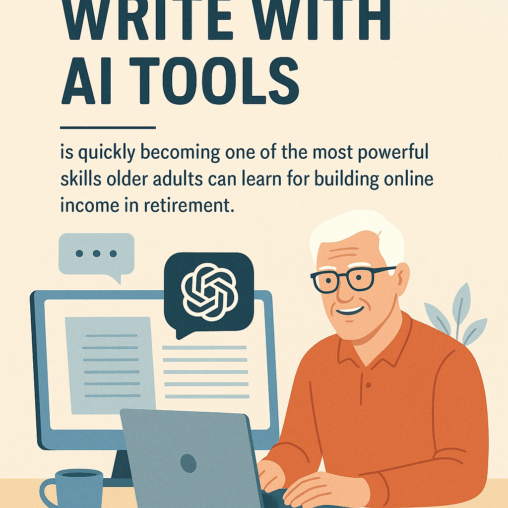
How to write with AI tools is quickly becoming one of the most powerful skills older adults can learn for building online income in retirement.
Ever Want To Be A Writer?
If you’ve ever wanted to write blog posts, promote affiliate products, create email newsletters, or even publish a small eBook—but felt held back by time, tech, or confidence—AI tools can now give you a friendly helping hand.
Jeffs Own Experience
When I started building Boomer Biz HQ, I had the ideas, the life experience, and the desire to help other seniors—but I didn’t always have the speed or energy to write long content every day. That changed when I discovered how AI writing tools could work with me, not replace me. Today, I use AI to brainstorm ideas, outline my articles, clean up my writing, and stay consistent—while still keeping my personal voice and stories front and center.
What Are Your Goals?
If your goal is to earn retirement income online through affiliate marketing, blogging, or digital content, learning how to write with AI tools can shorten your learning curve, boost your confidence, and help you publish faster than ever before—without feeling overwhelmed.
And the best part? You don’t need to be “tech-savvy” to use these tools. If you can type, you can use AI.

Affiliate Disclosure
Amazon + Wealthy Affiliate
Never any affiliate links in Boomer Biz HQ Guides
Affiliate Disclosure
Some of the links on this website may be affiliate links. This means that if you click a link and make a purchase, I may earn a small commission at no extra cost to you. These commissions help support 65 Plus Life and Boomer Biz HQ so I can continue creating free resources for older adults.
Amazon Disclosure
As an Amazon Associate, I earn from qualifying purchases. Any Amazon links used throughout this website may earn a commission when you purchase through them.
Wealthy Affiliate Disclosure
I am also a proud affiliate of Wealthy Affiliate. If you choose to join their platform through my referral link, I may earn a commission. I only recommend Wealthy Affiliate because it has personally helped me build websites and create income online, and I believe it can help other older adults learn these skills too.
Thank you for supporting my work — it truly means a lot.
How to Write With AI Tools + Affiliate Marketing
A Powerful Combination
Learning how to write with AI tools becomes even more powerful when you combine it with affiliate marketing. This is where your writing turns into real retirement income potential.
When I began promoting helpful tools, training platforms, and resources for seniors through Boomer Biz HQ, I quickly realized that consistent, helpful writing was the key to growing traffic and earning commissions. But writing every day can feel overwhelming—especially when you’re just getting started.
That’s where AI tools come in.
With AI, I can:
- Get article ideas in seconds
- Create simple outlines for blog posts
- Improve my writing clarity
- Write emails and product reviews faster
- Stay consistent without burnout
And the platform that brought everything together for me—learning affiliate marketing, building websites, using keywords properly, and now even using AI wisely—was Wealthy Affiliate.
Wealthy Affiliate gave me:
- Step-by-step beginner training
- Website hosting
- Keyword research tools
- A helpful community
- And a clear path to earning online
When you combine how to write with AI tools plus the training and structure from Boomer Biz HQ, you get a realistic, stress-free way to build income online—at your own pacHow AI & Affiliate Marketing Changed Everything for Me
I didn’t start online with tech skills, fancy equipment, or writing experience. I started with a simple goal—find a real way to earn income online in retirement without pressure or confusion.
At first, writing felt slow and intimidating. I had plenty of life experience to share, but turning it into blog posts was a challenge. Then I learned how to write with AI tools, and everything changed.
AI helped me:
- Turn my ideas into clear articles
- Stay consistent with content
- Write faster without stress
- And still sound like me
But the biggest turning point was discovering Wealthy Affiliate. It showed me how to:
- Build real websites
- Use keywords the right way
- Grow traffic
- And earn affiliate income honestly by helping others
That combination—AI writing tools + Wealthy Affiliate training—is what allowed me to build Boomer Biz HQ and now also work on 65 Plus Life for other seniors like you.
My Simple Invitation to You
If you’re serious about learning how to write with AI tools, building a website, and creating real retirement income online—then I truly recommend starting with Wealthy Affiliate’s free starter membership.
👉 You can explore everything at no cost, no pressure, and see if this path feels right for you.
If I can do this, you absolutely can too. And I’d love to walk this journey with you.
Jeff’s Favorite AI Writing Tool
ChatGPT (Free & Paid)
When people ask me which AI tool I rely on the most for writing and research, my answer is simple—ChatGPT.
I personally use the paid version of ChatGPT (5.1) because it gives me faster responses, deeper research help, and stronger writing accuracy. It helps me:
- Write full blog posts
- Improve my grammar and flow
- Create email campaigns
- Build step-by-step guides
- Brainstorm content ideas
- Research affiliate products
- And even create outlines for new websites
But here’s what I love most for my Boomer Biz HQ readers…
You do NOT need the paid version to get started.
The free version of ChatGPT is powerful enough to:
- Write articles
- Create product reviews
- Help with emails
- Generate blog ideas
- Help with keyword-based content
- And even assist with social media posts
That means anyone can begin learning how to write with AI tools—even on a zero-dollar budget.
ChatGPT was created by OpenAI, and it truly feels like having a patient writing partner sitting right beside you—ready whenever inspiration feels stuck.
How I Personally Use ChatGPT for Boomer Biz HQ
Here’s my real-life process for using ChatGPT as a senior content creator:
- I start by typing my idea in plain language
- I ask for an outline
- I shape the tone to fit older adults
- I add my own life experience
- Then I polish it with AI guidance
This is exactly how Boomer Biz HQ was built—one helpful article at a time—with AI as my assistant, not my replacement.
And yes, I still sound like me.
AI doesn’t take away your voice—it helps you share it more clearly.
Why I Recommend ChatGPT
If you’re learning how to write with AI tools for blogging, affiliate marketing, or retirement income planning, I truly believe ChatGPT is the best place to start because:
- It’s simple to use
- It works on any computer
- It helps with writing and research
- It works for beginners
- And the free version is more than enough to get moving
This is why ChatGPT is my #1 recommended AI tool inside Boomer Biz HQ—for both beginners and advanced learners.
Jeff’s Honest Recommendation
If you’re brand new, start with the free version of ChatGPT today.
When you’re ready for faster results and deeper help, you can always upgrade later—just like I did.
The most important step is simply this:
Start writing. Start learning. Start believing in yourself again.
How to Write With AI Tools
Jeff’s Step-by-Step Method Using ChatGPT
In this section, I’m going to show you exactly how to write with AI tools the same way I do for Boomer Biz HQ and 65 Plus Life. I use ChatGPT as my main AI assistant, and this is the simple writing system I follow for almost every guide, article, and resource I create for older adults.
You can follow these same steps for:
- Blog posts
- Product reviews
- Email newsletters
- “How-to” guides
- Social media posts
If you can type a question, you can learn how to write with AI tools using this method.
Step 1: Decide Your Goal and Reader
Before I even open ChatGPT, I ask myself two questions:
- What is the goal of this article?
-
- Teach something?
- Recommend a tool or product?
- Share my personal experience?
- Who is this for?
-
- In my case: older adults planning retirement income online.
You can jot down something simple like:
“I want to write a helpful guide for seniors on how to write with AI tools using ChatGPT, so they can feel more confident creating content for their own websites or affiliate marketing.”
This gives you and the AI a clear direction.
Step 2: Open ChatGPT and Give a Clear First Prompt
Next, I open ChatGPT (free or paid version) and start with a simple, clear prompt. For example, I might type:
“Help me outline a blog post called ‘How to Write With AI Tools’ for older adults who want to earn retirement income online. Make it friendly, simple, and step-by-step.”
ChatGPT then suggests an outline. I don’t accept it blindly—I adjust it to fit my style and my readers.
Step 3: Create an Outline You’re Comfortable With
Once ChatGPT gives me the first outline
- Remove anything too technical
- Add steps that matter to seniors (confidence, simplicity, pacing)
- Make sure the keyword “How to Write With AI Tools” appears in the title and one or two headings
Your outline might look like:
- Introduction: Why learning how to write with AI tools helps seniors
- Choosing ChatGPT as your main AI assistant
- Step-by-step writing system using ChatGPT
- Adding your personal voice and life experience
- Editing, formatting, and basic SEO
- Final encouragement and next steps
When the outline feels right, then I move on to writing each section with ChatGPT’s help.
Step 4: Draft One Section at a Time With ChatGPT
Instead of asking ChatGPT to write the entire article at once, I work section by section. For example, I’ll say:
“Using this outline, please write the section ‘Why learning how to write with AI tools helps seniors’ in 300 words, friendly tone, and focused on older adults.”
ChatGPT writes a draft. Then I:
- Read it slowly
- Remove anything that doesn’t sound like me
- Add my personal examples
- Keep the language clear and simple
I repeat this process for each section until I have a full draft.
Step 5: Add Jeff’s Voice and Real-Life Experience
This is where the magic happens.
AI can give you a good draft, but your real stories make it great. After ChatGPT gives me content, I always:
- Add a sentence like:
“When I first learned how to write with AI tools, I was nervous about making mistakes…” - Share a real habit or routine I use
- Mention my websites (Boomer Biz HQ, 65 Plus Life) when it fits naturally
This keeps the article honest, personal, and relatable for seniors.
Step 6: Use AI to Polish, Not Control, Your Writing
Once the draft is done, I often paste a section back into ChatGPT and say:
“Please help me make this clearer and easier to read for older adults. Keep my tone and personal story.”
I let the AI suggest improvements, but I keep control of the final wording. If something doesn’t sound like me, I change it.
Remember: You are the author. AI is just your helper.
Step 7: Check Basic SEO With Your Keyword
To keep this guide SEO friendly, I always make sure:
- My main keyword “How to Write With AI Tools” appears:
-
- In the title
- In the first paragraph
- In one or two sub-headings
- A few times naturally in the content
- I don’t stuff the keyword in every sentence
- I include helpful related phrases like:
-
- “AI writing tools for seniors”
- “using ChatGPT to write blog posts”
- “AI tools for retirement income content”
You can even ask ChatGPT:
“Please review this article and suggest small SEO improvements for the keyword ‘How to Write With AI Tools’ without making it sound robotic.”
Then you decide which suggestions to keep.
Step 8: Format for Seniors: Readable, Simple, and Calm
Because I write for older adults, I always:
- Use short paragraphs
- Use bullet points and numbered lists
- Use clear headings
- Avoid tiny fonts and crowded layouts
- Add helpful images or screenshots when possible
You can ask ChatGPT:
“Reformat this content so that it’s easy for seniors to read, with short paragraphs and clear bullet points.”
Then paste that into your WordPress editor and adjust the formatting to your liking.
Step 9: Final Read-Through Before Publishing
Before I hit publish, I always:
- Read the article out loud (or slowly to myself)
- Make sure it still sounds like Jeff, not a robot
- Confirm that the article truly helps my readers
- Check that the links, buttons, and images work properly
If I find a confusing section, I’ll paste it back into ChatGPT and say:
“Please rewrite this paragraph more clearly for beginners.”
Step 10: Reuse This Method for Every Guide You Create
This How to Write With AI Tools method is the same basic process I use for:
- Boomer Biz HQ blog posts
- 65 Plus Life guides
- Email newsletters
- Checklists and resource pages
You don’t have to learn a new system every time. Once you get comfortable using ChatGPT this way, you can create helpful content again and again—with much less stress.

Encouragement From Jeff
If you’re an older adult wondering whether you can really learn how to write with AI tools, I want you to know this:
- You don’t have to be fast.
- You don’t have to be perfect.
- You just have to be willing to try.
Start with one simple article. Open ChatGPT, use this step-by-step method, and let AI help you share your experience with the world.
Remember AI Tools are your writing assistant not a replacement for writing, you will not benefit from using these tools to do all your writing for you.
If I can do it, you can too—and Boomer Biz HQ will be here to guide you.
Thank you for reading ” How To Write With AI Tools”,

- The Zero Cost Freelance Writer Starter PlanThe zero cost freelance writer starter plan is my pleasure to share with you. This is a good way to test the freelancing writing opportunity, many of you will love to know this is budget-friendly. If freelance writing interests you, here is my free starter plan. Affiliate Disclosure Amazon + Friends Affiliate Disclosure: Some of … Continue reading “The Zero Cost Freelance Writer Starter Plan”
- What Are Common Social Security MistakesWhat are common social security mistakes to avoid, learn from my own mistakes so you also don’t make the same mistakes that I did. Your retirement income depends on knowing this information, and I am more than happy to take the time to share with you. Affiliate Disclosure Amazon + Friends Affiliate Disclosure: Some of … Continue reading “What Are Common Social Security Mistakes”
- 12 Month Retirement Income Content Plan12 month retirement income content plan is compliments of Boomer Biz HQ. Freelance writing is one of the most budget-friendly startups for people over 50. You alreay contain the knowledge you need from your lifes experiences, now all you need is a content plan. Affiliate Disclosure Amazon + Friends Affiliate Disclosure: Some of the links … Continue reading “12 Month Retirement Income Content Plan”
- Best Kindle Ebooks For Retirement Income GuideBest Kindle eBooks for retirement income guide is one of the most budget-friendly income opportunity. This is a low-investment which makes it budget-friendly, and with this guide you have a step-by-step process to follow for ultimate success. Affiliate Disclosure Amazon + Friends Affiliate Disclosure: Some of the links on this website may be affiliate links. … Continue reading “Best Kindle Ebooks For Retirement Income Guide”
- What Are Facebook Safety Tips For SeniorsWhat are Facebook safety tips for seniors. Learn how to stay safe while on Facebook without fear of losing your personal information. Older adults are targeted by scammers online platroms like Facebook, but we are going to help you stay safe online. Affiliate Disclosure Amazon + Friends Affiliate Disclosure: Some of the links on this … Continue reading “What Are Facebook Safety Tips For Seniors”


























Really enjoyed this one, Jeff. You explain AI writing in such a simple, stress-free way that it actually feels doable for beginners, especially seniors who might think this stuff is “too techy.” I like how you showed your real process instead of making it sound complicated or fancy.
The reminder that AI is a helper, not a replacement, was spot-on too. That takes the pressure off and makes writing feel more approachable.
Hello Jason
It takes time to learn how to use any tool effectively, AI is a new tools that we all need to learn how to use. The more you experiment with this tool, the better you will undersstand how to use it.
Jeff
This is an incredibly detailed and practical guide! I love how you break down each step for older adults learning to write with AI tools, making it feel approachable and doable. The way you emphasize keeping your personal voice while using AI as a helper really resonates—so often people worry about sounding “robotic,” and your method solves that beautifully.
I also appreciate the focus on combining AI tools with affiliate marketing for retirement income. It’s inspiring to see a clear, step-by-step path that shows seniors they can create content, grow websites, and generate income without being tech experts.
Thanks for sharing your experience and tips—it makes the process feel manageable, encouraging, and genuinely empowering.
Thank you very much Monica
I appreciate you taking the time to comment on how to write with AI tools. If I ever can give you a helping hand just let me know, I do want to help my readers to succeed
Jeff